Shoot the job.
We'll write the report.
JobCamHQ turns jobsite photos and a spoken walkthrough into GPS-stamped evidence, AI damage findings, and a client-ready scope — before you leave the driveway. Roofing, siding, remodel, restoration — any trade that has to prove its work.
- No credit card
- Whole crew included
- Leaving CompanyCam? Everything comes with you
Built and used every day at Roof King & Restoration — Columbus, OH
SEE IT WORK
It even reads your chalk
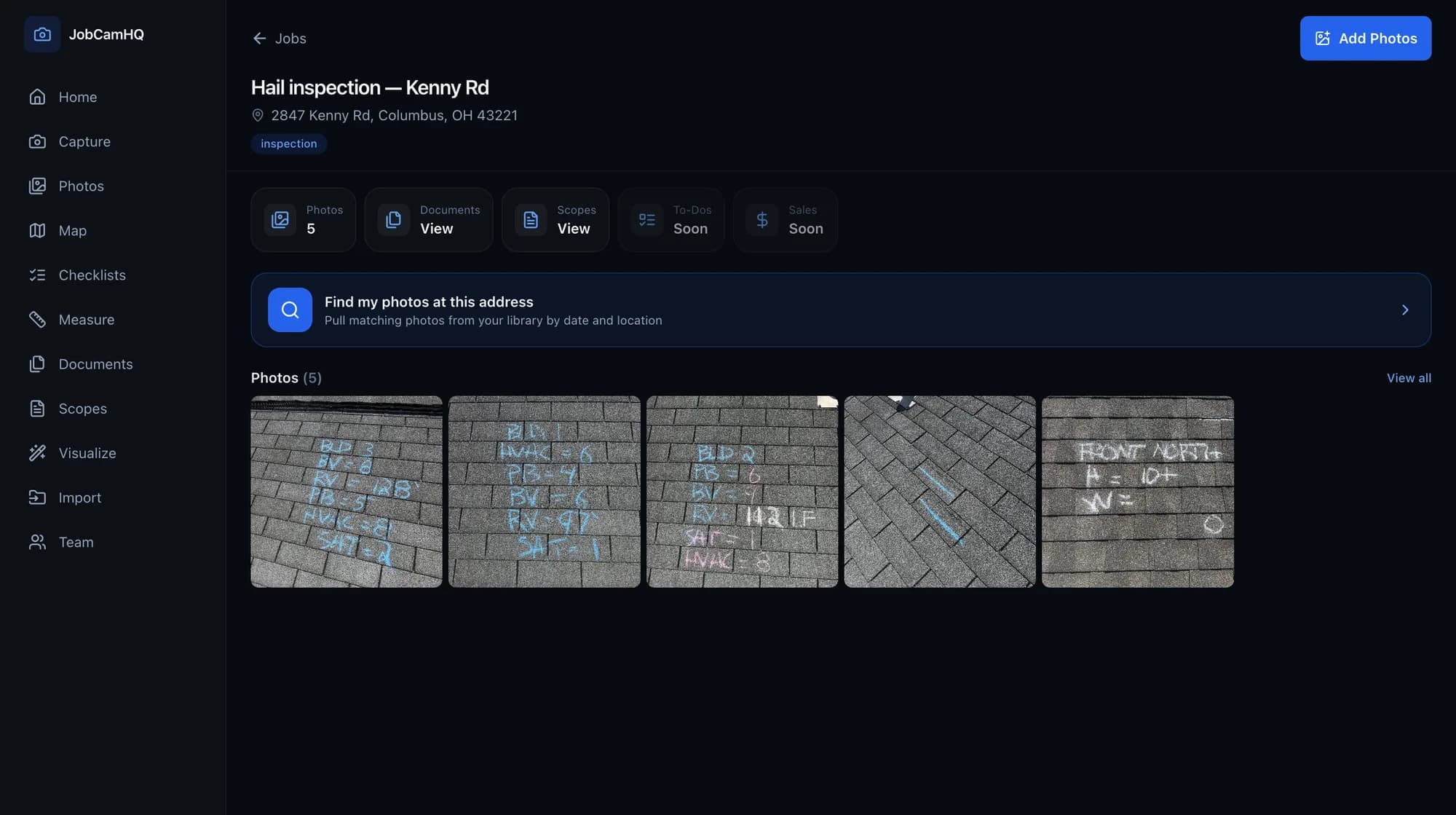
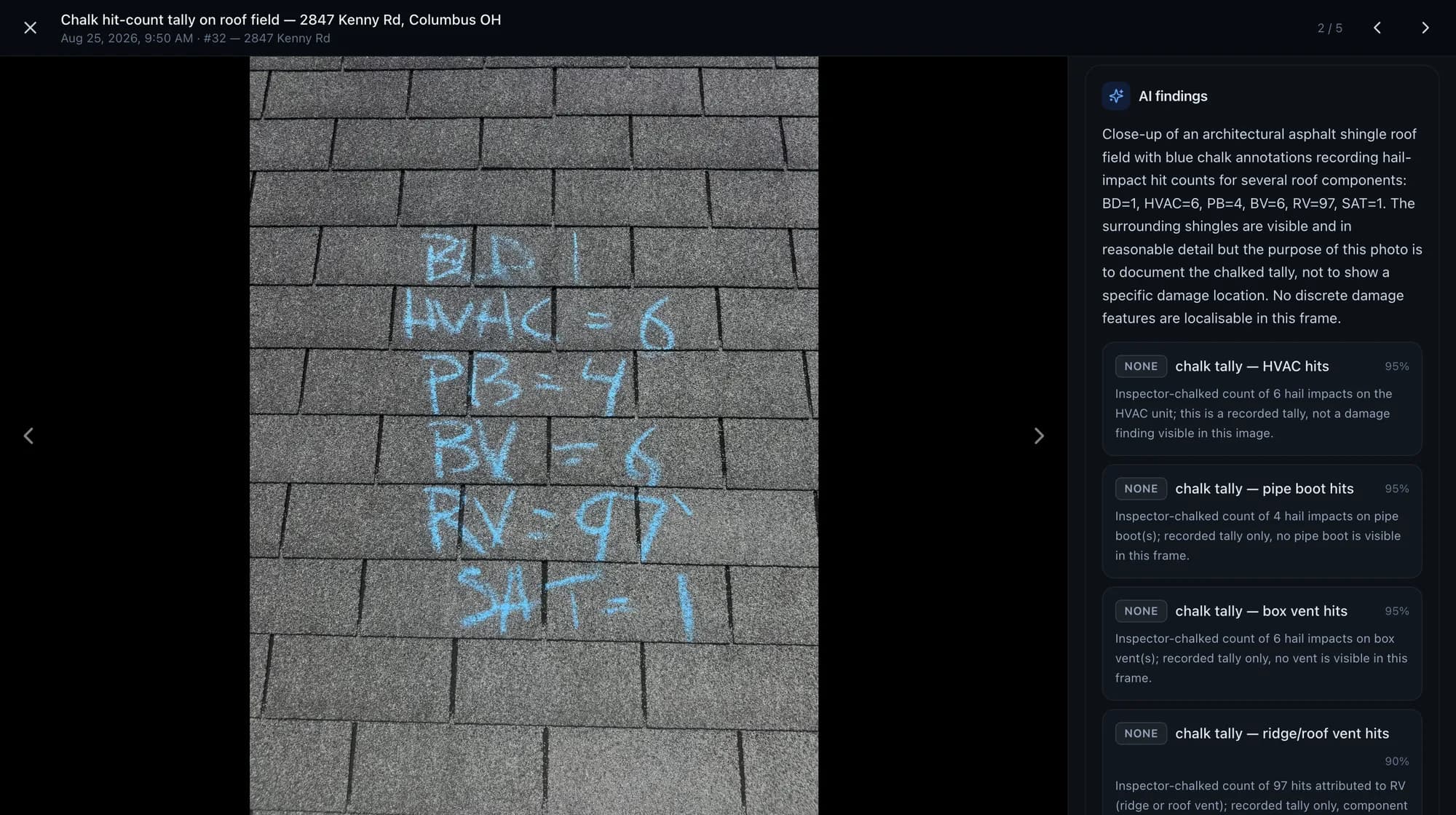
This is one photo off a Columbus inspection — nothing typed, nothing tidied. JobCamHQ read the tally off the shingles and wrote a line for every component. Shown on a roof here; drywall, siding, mechanicals and framing photos get the same treatment.
WHAT YOU CHALKED
- BD = 1
- HVAC = 6
- PB = 4
- BV = 6
- SAT = 1
WHAT CAME BACK
- 4 hail impacts on pipe boot(s)
- 6 hail impacts on box vent(s)
- 1 hail impact on satellite dish
Written straight onto the photo record, with a confidence score on each line. Review it before it goes to a carrier — it drafts, you decide.
WHAT IT DOES
A camera that finishes the job
Everything a photo app should have done years ago — capture, proof, and the paperwork that turns a photo into a paid claim.
Every shot lands on the right job
Open the camera and fire. Photos and video auto-file to the nearest job by GPS, stamped with location and time the moment you tap — the evidence trail an adjuster can't argue with.
It knows hail from blistering
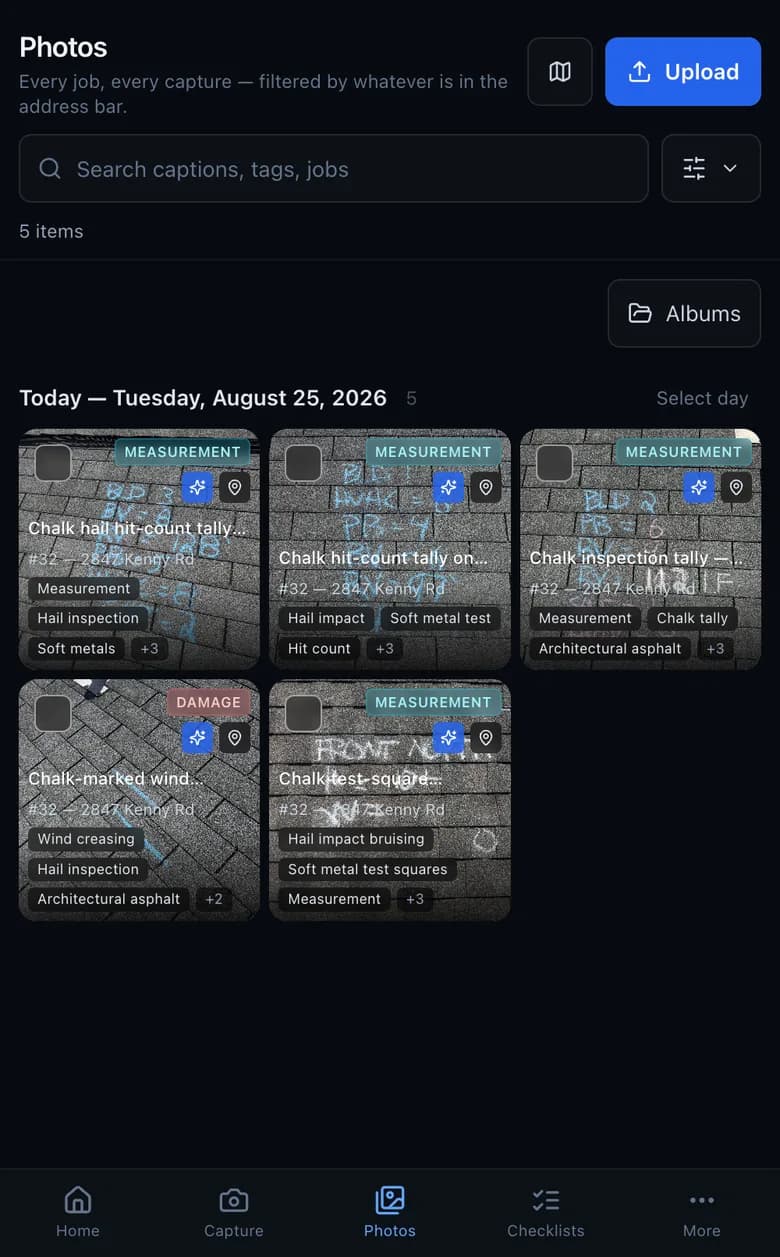
Claude vision reads every photo and video for hail bruising, wind creasing, lifted shingles, flashing failures — with a severity, a confidence, and an adjuster-ready note. Auto-captioned, auto-tagged, no filing. It even reads your chalk.
Talk through the job. Get a scope.
Walk the jobsite narrating what you see. JobCamHQ transcribes it, ties each line to the photo that proves it, and hands back a structured scope of work — the one thing CompanyCam's walkthroughs never do.
R&R architectural shingles — North slope
Ridge cap replacement
Detach & reset — rear elevation
Real measurements, straight off a photo
Draw a measurement on a photo against a known reference, or drop an EagleView and let it read the takeoff. Roof, elevation, and jobsite numbers, ready to price.
Drop the carrier estimate. We read it.
Upload the insurance PDF and JobCamHQ pulls the carrier, claim number, RCV/ACV, depreciation, and every line item into structured fields you can actually work with.
Show them the finished job before it starts
Pick a material and color — shingles, siding, paint — and JobCamHQ re-renders the customer's actual house with it. Drag to compare. Close the sale on the driveway.
Client-ready in two taps
Branded PDF reports with your markup burned in, public links that don't need a login, per-photo downloads, and a whole-album ZIP. Your arrows and notes show up everywhere — not just inside the app.
WHY SWITCH
Everything CompanyCam does.
Plus the parts it never built.
Table stakes — we match
- Live camera, GPS + timestamp on every photo
- Auto-organize by job and location
- Tags, albums, before/after
- Annotation & markup tools
- Photo reports & branded PDFs
- Public share links
- Checklists with photo requirements
Where we pull ahead
- AI damage findings on every photo & video
- Voice walkthrough → structured scope of work
- Measurements & takeoffs built in
- Reads carrier estimates & EagleView PDFs
- Markup that survives into the PDF & share link
- Full-resolution originals, always downloadable
- Flat crew pricing — no $29-a-seat surprises
Your CompanyCam history comes with you
Paste your API token once and every project and photo crosses over — jobs, GPS, timestamps and all. Keep both running while you make up your mind.
THREE STEPS
Jobsite to report in one trip
Shoot & talk
Fire off photos and record a voice walkthrough as you walk the job. Everything stamps and files itself.
AI writes it up
Findings, captions, tags, and a full scope of work draft themselves from your photos and narration.
Send the report
Review, tweak, and send a client- or adjuster-ready PDF or a live link — markup and GPS included.
WHY THIS EXISTS
I'm not a software company. I run a roofing company — and I was paying CompanyCam every month and still writing scopes by hand at 9 p.m. So I built the thing I wanted.
Jared Lane
Owner · Roof King & Restoration · Columbus, OH
Every feature here started as something my own crew needed on a real jobsite. It runs on our jobs first — which means when it breaks, it breaks for me before it breaks for you.
PRICING
Priced for a crew, not per seat
Bring the whole team. No per-seat gouging, no seat minimums, no annual lock-in you can't get out of.
Early access
Free
While we're in early access. Full app, whole crew, every feature.
Start free- Unlimited photos & video
- AI findings & voice-to-scope
- CompanyCam import included
- Every seat on your crew
No card to start. When paid plans open, pricing is flat for your whole crew — and you'll know the number before you're ever charged.
CompanyCam runs about $63–199/mo plus ~$29 a seat. Add three crew members and you're paying for the software twice.
STRAIGHT ANSWERS
The questions you're actually asking
I've got years of photos in CompanyCam. Do I lose them?
Will an adjuster actually accept these reports?
Does the AI make up damage?
What does it cost after early access?
Does it work on my phone on a jobsite with bad signal?
Who owns my photos?
Your next job is a tap away.
Capture it, prove it, price it, send it — from the jobsite. Start free today.
Start freeNo credit card · Whole crew included · Your CompanyCam photos come with you